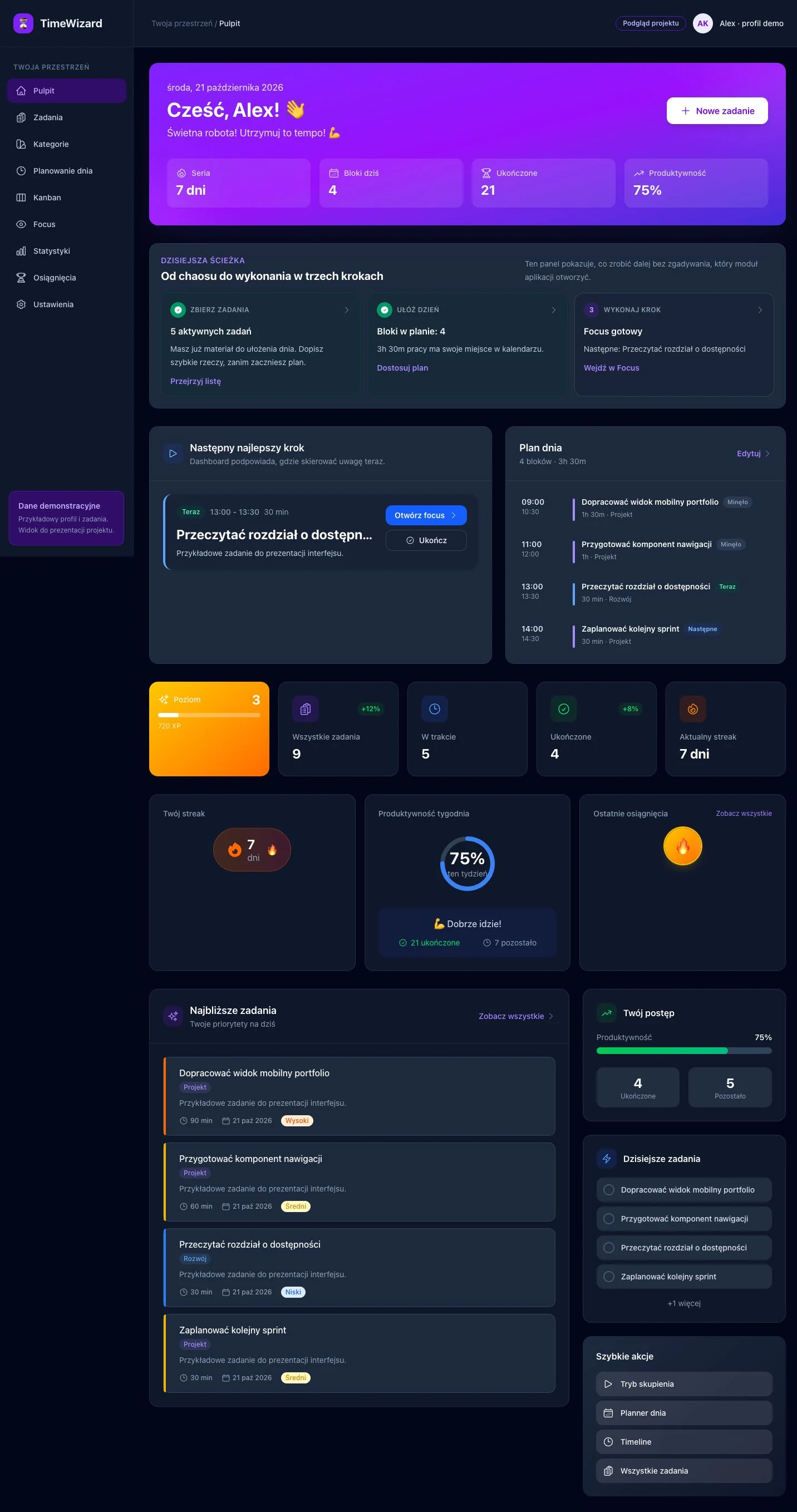
01 / OVERVIEW
Daily dashboard
Task summary, today’s plan and a clear next step. The essentials in one place.
PORTFOLIO PROJECT · WEB APPLICATION
TimeWizard brings tasks, daily planning and progress into one workspace. From a to-do list to a dedicated time block in your calendar.
Visual showcase · fictional data · no account required
A LOOK INSIDE
Actual application components populated with fictional tasks. Open a screenshot to explore the interface in detail. The screens are shown in Polish.
01 / OVERVIEW
Task summary, today’s plan and a clear next step. The essentials in one place.
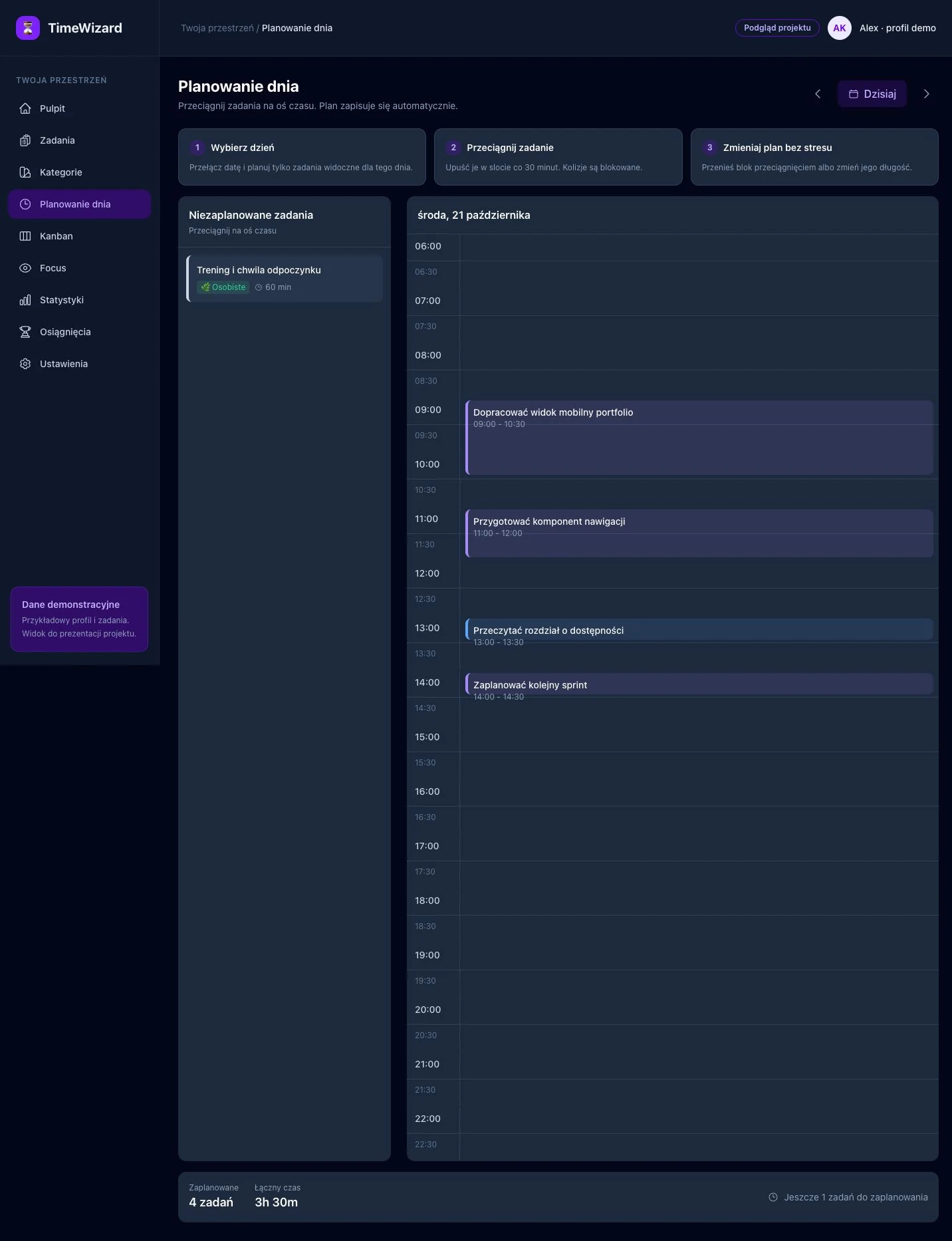
02 / PLAN
Tasks on a timeline, categories and work blocks. A clear view of how the day is allocated.
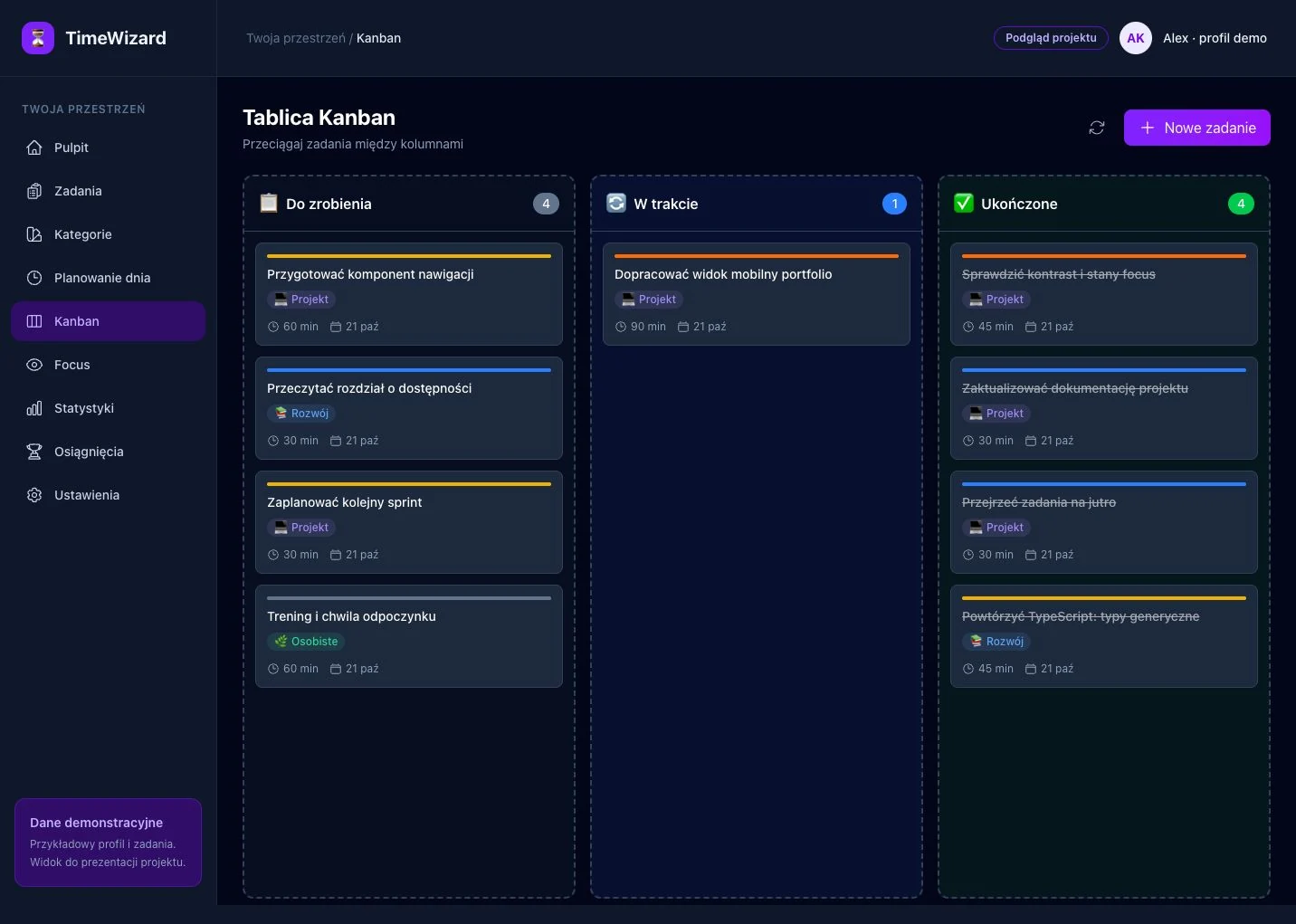
03 / TASKS
From “To do” to “Done”. Cards show categories, priorities and estimated effort.
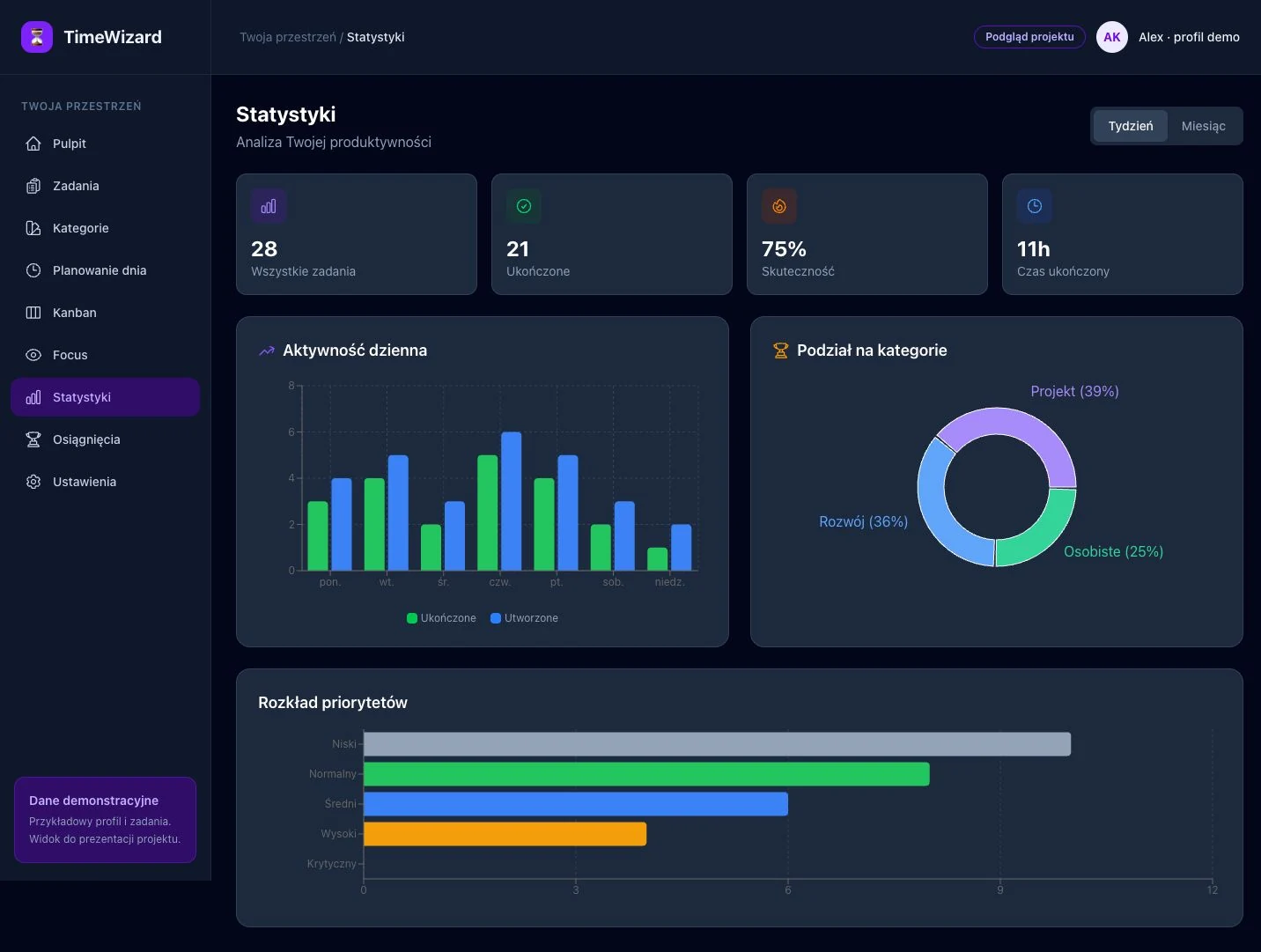
04 / PROGRESS
Activity over time, category breakdowns and priorities. A visual view of task progress.
FROM IDEA TO INTERFACE
A list alone does not tell you when to start. TimeWizard combines task management with daily planning and progress tracking.
Tasks have categories, priorities, due dates and time estimates.
The planner arranges work into time blocks. The scheduling algorithm considers priorities, deadlines and availability.
Kanban shows the status of work, while charts help reveal patterns in task completion.
PROJECT SCOPE
The project source also includes authentication, a data model, server actions, a Focus mode with Pomodoro and gamification. This site presents selected screens without running the application services.
All figures in the screenshots are sample interface data.
UNDER THE HOOD
Interface
Components, routing and typed data.
Visual design
Responsive layouts and interface animation.
Data and access
Data modelling and authentication in the application source.
Visualisation
Activity charts and date handling.
Four views show information structure, data presentation and consistency across the interface.